
Off-Boarding LawToolBox
Although we hope you'll find LawToolBox a good fit for your organization, you can discontinue a subscription at any time; however, there are no refunds for the current 12 month subscription term (monthly or yearly pay).
Make sure you are familiar with the 72-hour Microsoft Refund Policy & Microsoft Cancelation Policy
All cancel requests need to sent in writing to support@lawtoolbox.com with your intent to cancel prior to renewal.
1) Your LawToolBox Data
1. Plan for your go-dark date
2. Plan for how to manage your active matters & deadlines
3. Refund policies
2) Off-boarding the app
1. Cancel Subscription
a) via Microsoft Billing or CSP partner portal (e.g. Pax8, TD Synnex)
b) support@lawtoolbox.com if your invoice is managed through LawToolbox directly
2. Remove the app from Outlook and Teams
3. Revoke Application Permissions
Please read below for step-by-step instructions on how to off-board your LawToolBox account.
1) Your LawToolBox Data
________________________________________________________
Before preceding with the cancelation of LawToolBox, please note:
- Canceling the LawToolBox subscription may automatically close your LawToolBox.
- Your users may lose the ability to login and manage matters or deadlines.
- Deadlines will remain in outlook even after you cancel.
- Learn More: Help: M365 Groups for LawToolBox
- Want to remove events? Admin: How to mass share matters with a user (Bulk Add/Remove)
- LawToolBox subscriptions are annual and auto-renew by default.
- Microsoft will not issue a refund if you cancel during the subscription term after 72 hours of purchase or renewal.
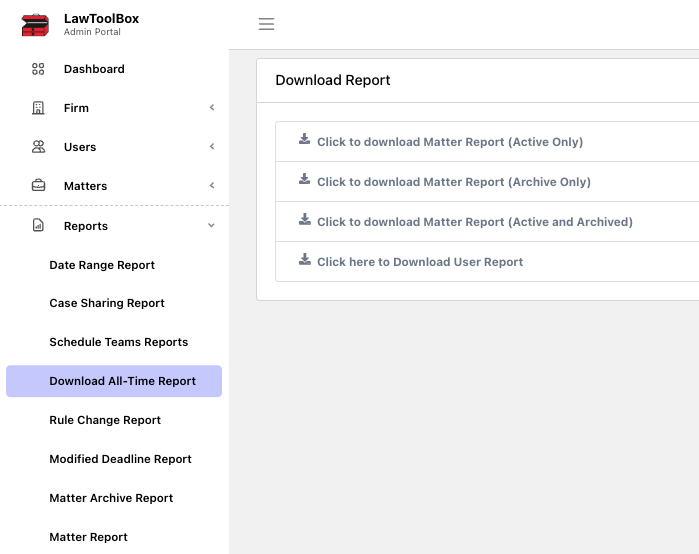
- You have the option to export your data before canceling the subscription prior to cancelation.
- If you want to clean your calendar, deadlines can be removed from LawToolBox by closing existing matters in the app prior to disabling your account.
- Additional work or support may be billable.
Off-boarding the app step-by-step
________________________________________________________
Step 1: Disable your renewal
Check how you are billed for LawToolBox in admin.lawtoolbox.com > users
| Invoicing Method | Admin View |
| Billed through LawToolBox If you are billed directly through LawToolBox, email support@lawtoolbox.com to submit your cancel request in writing before your renewal date. | 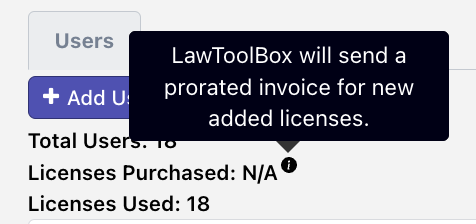 |
| Billed through Microsoft or MS Partner Manage: https://admin.cloud.microsoft/?#/subscriptions Microsoft Cancelation policy: | 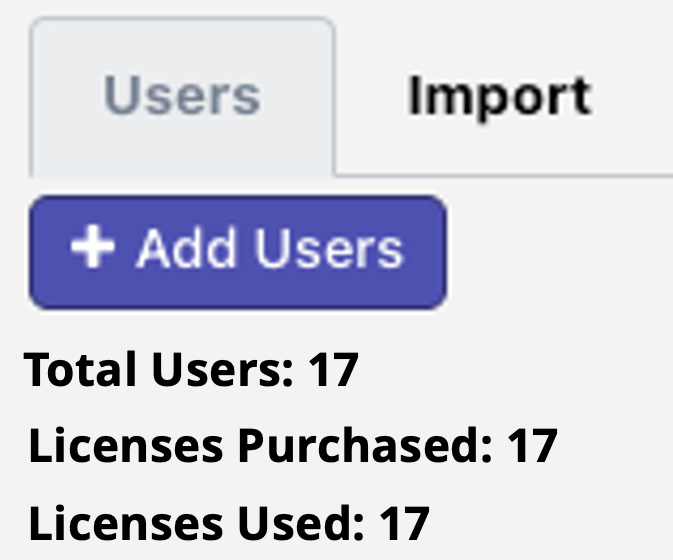 |
Billed through LawToolBox
If you are billed directly through LawToolBox, email support@lawtoolbox.com to submit your cancel request in writing
Billed through Microsoft or MS Partner
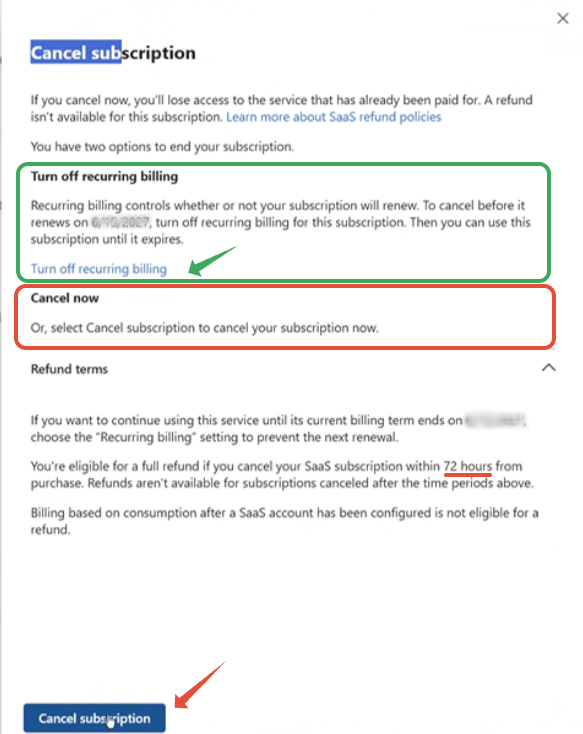
Go to admin.microsoft.com > billing > your products > LawToolBox > Cancel Subscription
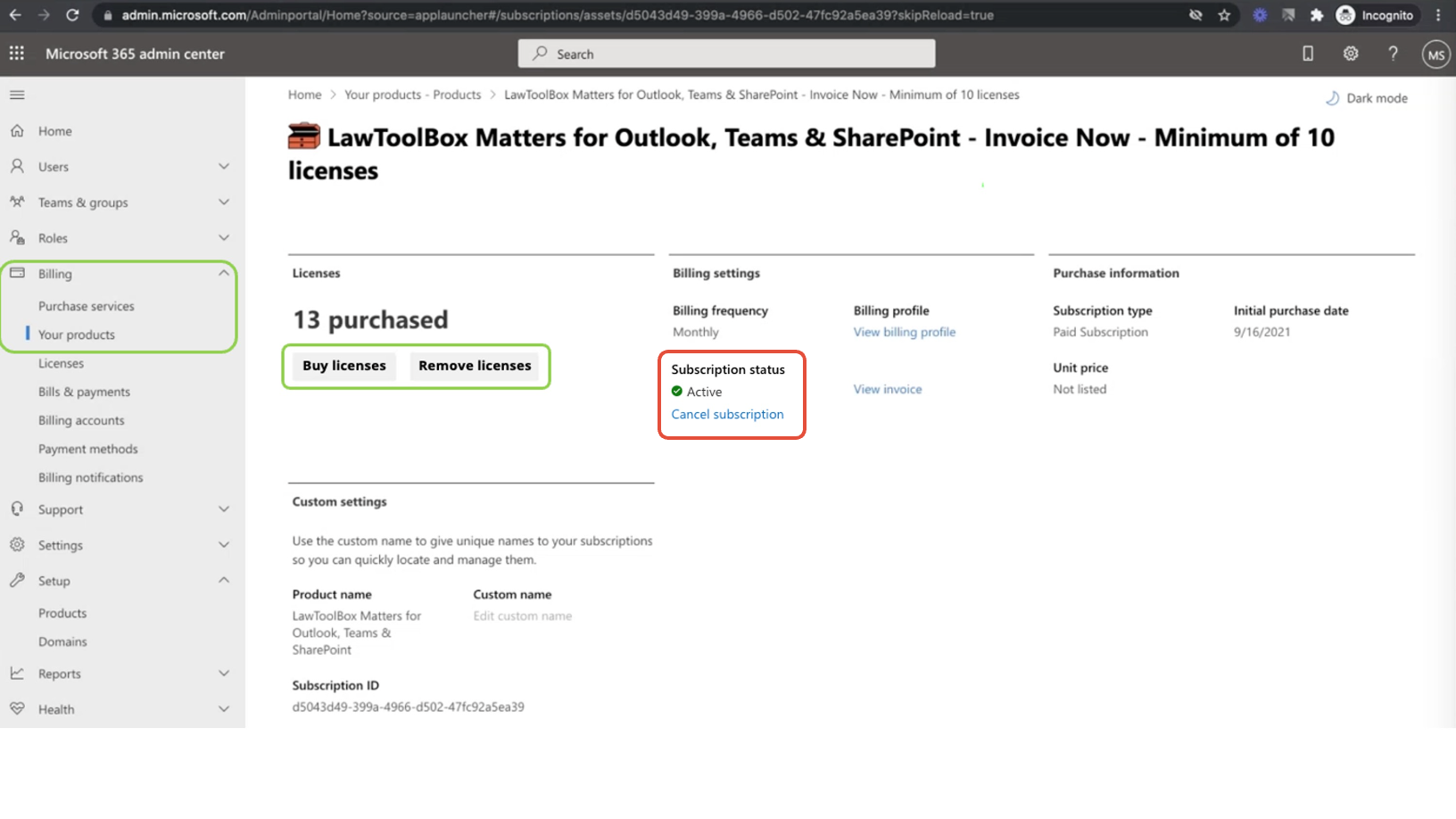 Two options to end your subscription:
1) Chose to turn off recurring billing > account is suspended at the end of your subscription term.
2) Chose to cancel now > account is automatically suspended. Refunds are eligible within a 72 hour window.
________________________________________________________
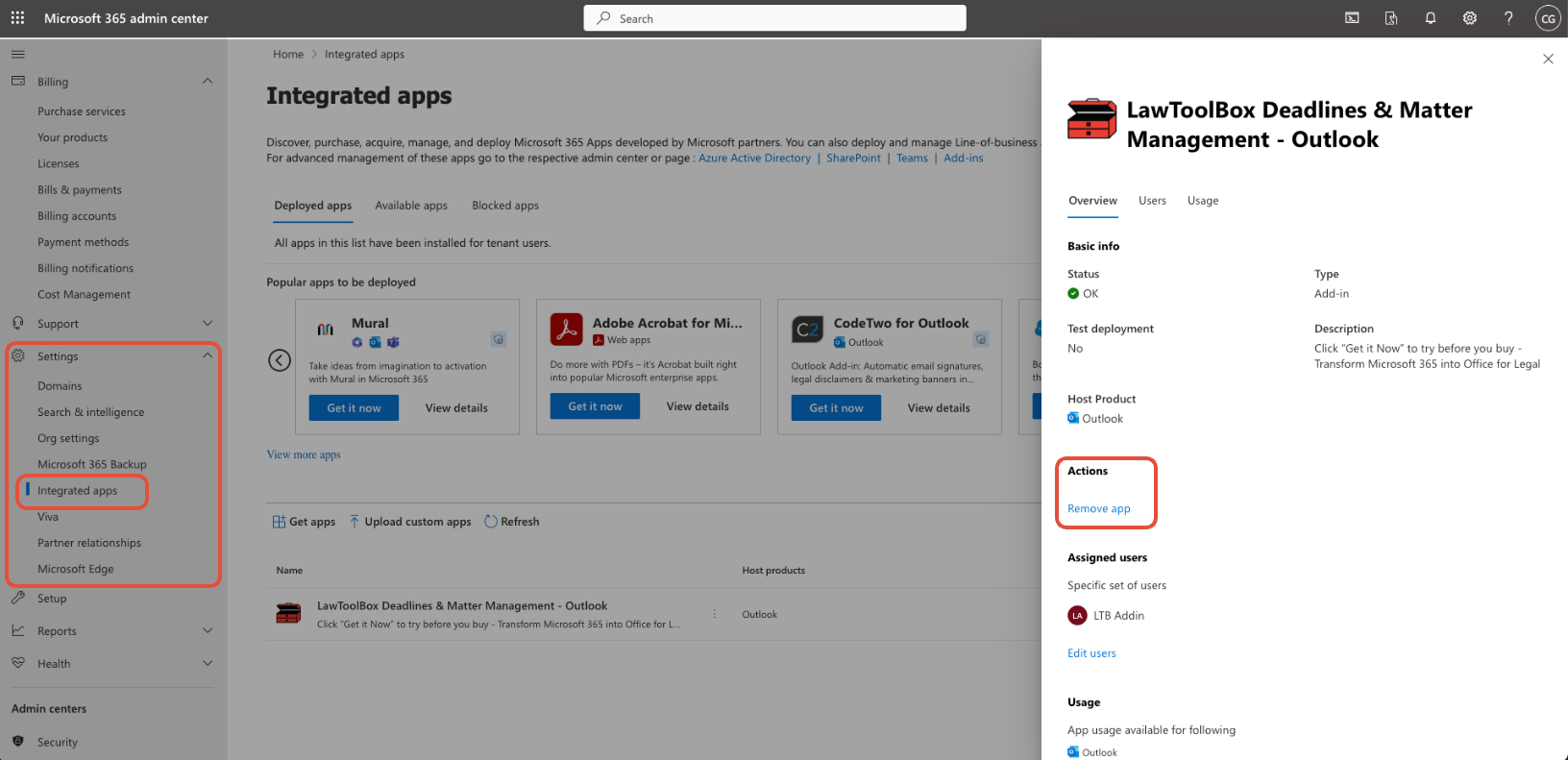
2. Remove the app
Remove from Outlook via admin.microsoft.com > show all > settings > integrated apps >
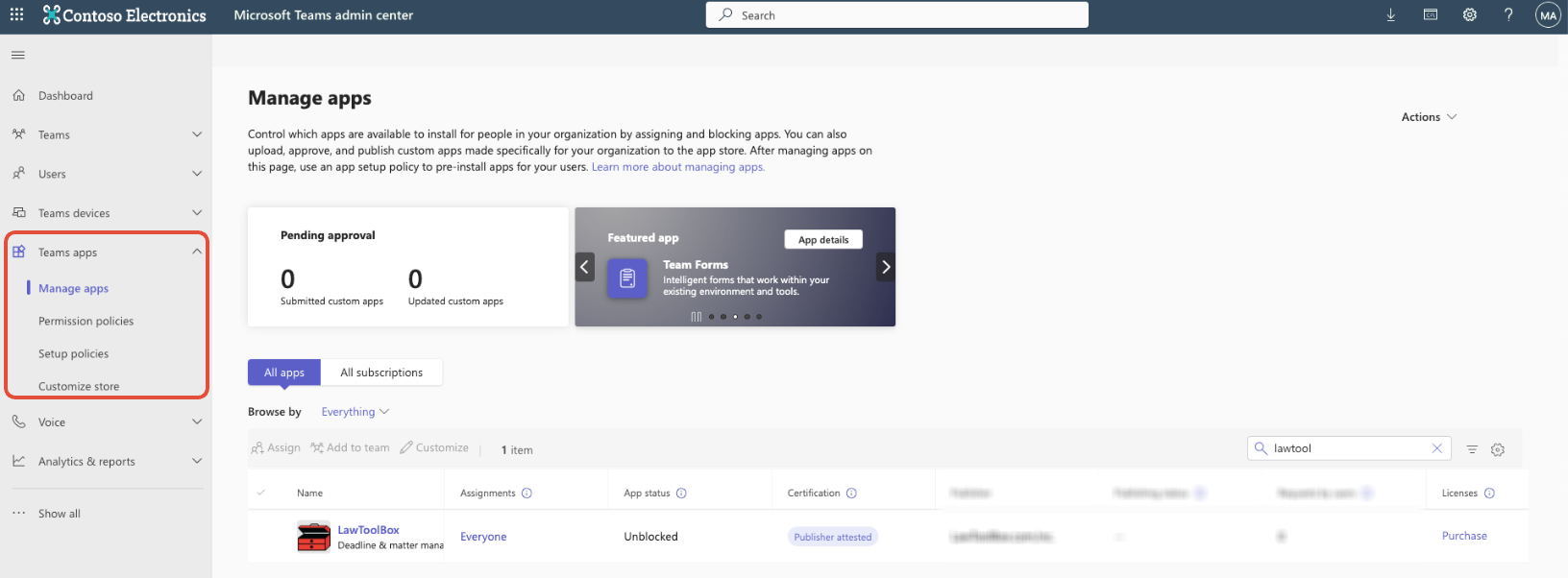
Repeat for Teams Admin center if deployed in Microsoft Teams
________________________________________________________
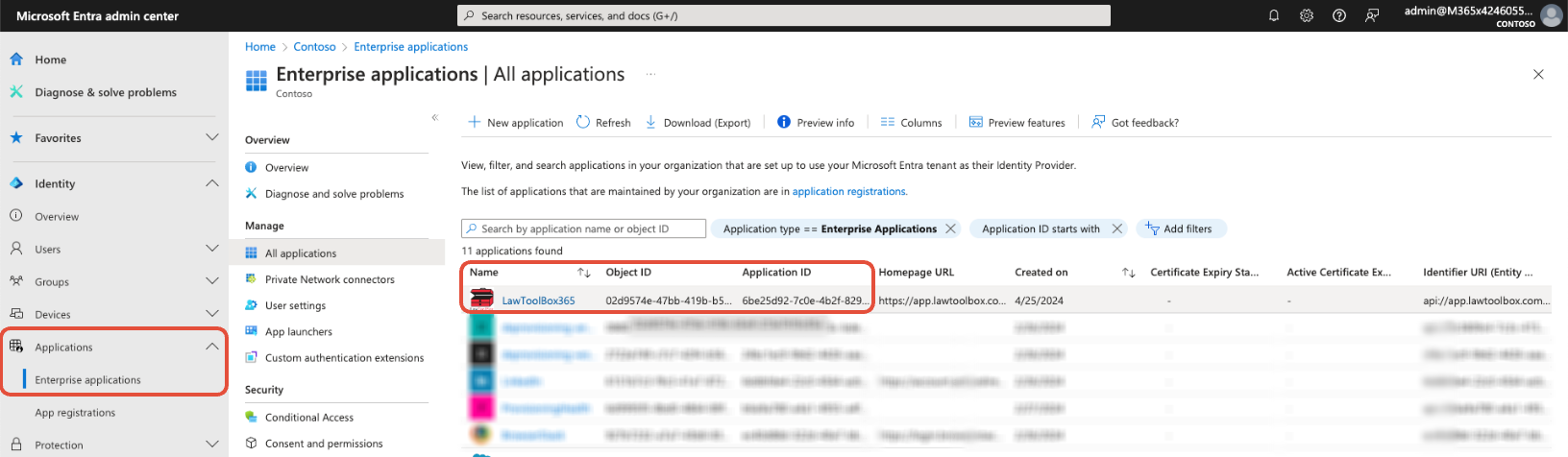
3. Revoke permissions
admin.microsoft.com > show all > identity > applications > permissions > revoke LawToolBox permissions
You have now successfully discontinued our application.
Thank you for using LawToolBox!